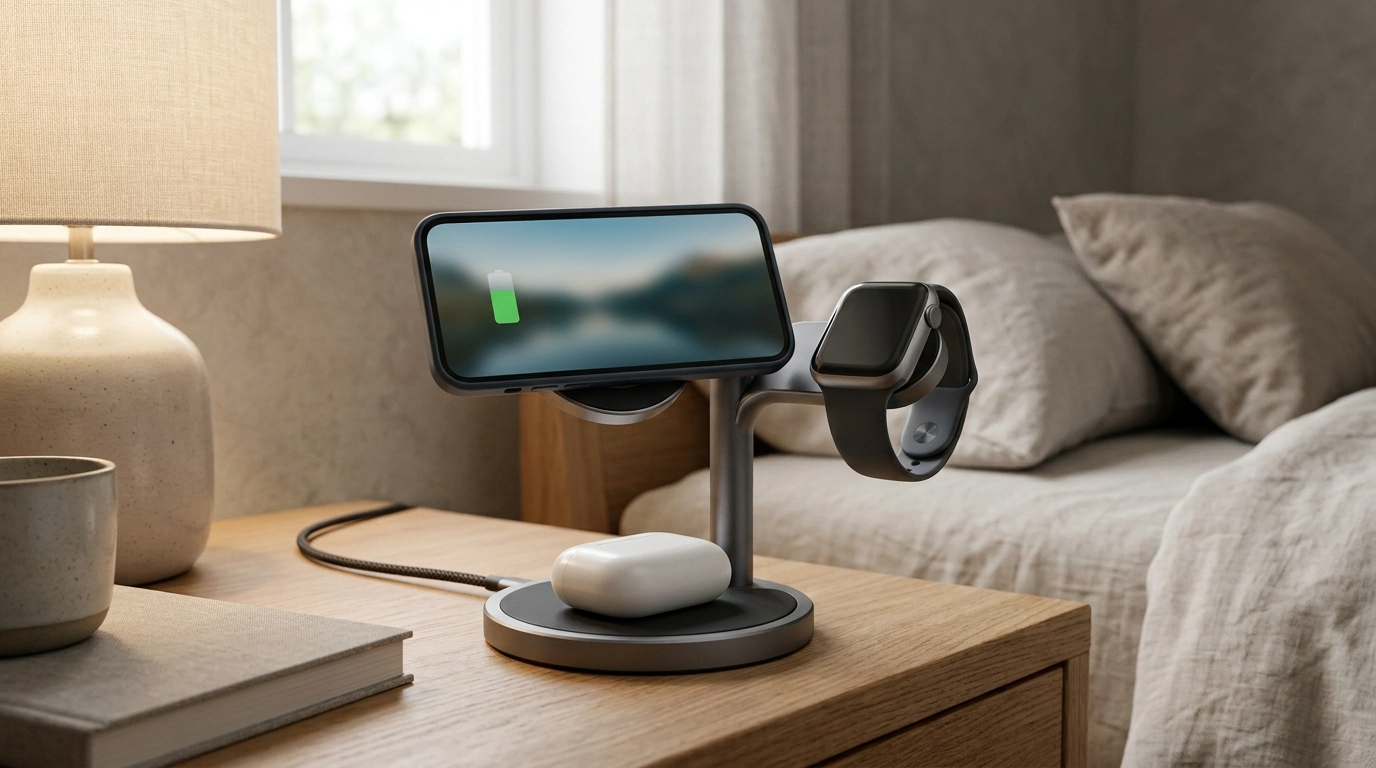
A rotating 3-in-1 charging station can turn a cluttered nightstand into a single, stable place to power a phone, earbuds, and a watch. The biggest day-to-day difference is how the 360° rotation lets the phone stay both charging and “in use” at the same time—easy to glance at, tap, or show to someone—without dragging the whole stand around. Below is what the rotation changes in practice, what to verify for compatibility, and how to set it up for dependable charging at home, at work, or on the road.
What a rotating 3-in-1 charging station does differently
A 3-in-1 stand replaces three separate charging spots with one footprint, which usually means fewer cables snaking across a dresser and fewer outlets or adapters in use. The standout benefit, though, is that rotation makes the charging phone feel less “parked” and more accessible.
- One compact station instead of three chargers: A dedicated zone for phone, earbuds, and watch helps keep a consistent routine—drop each device in the same place every night.
- 360° rotation for better viewing: Rotate the phone to a comfortable angle for notifications, hands-free calls, or iPhone StandBy/clock-style viewing while it continues charging.
- More stable than many fold-flat pads: A fixed base with a rotating head can be easier to tap without shifting, especially on small bedside tables.
- Handy for shared desks: Turn the phone toward a coworker to show a QR code or meeting details without sliding the whole stand across the surface.
Core features to look for
Not all multi-device stands behave the same. Small design choices—magnet strength, hinge firmness, base weight—often matter more than flashy specs.
- Magnetic alignment: A strong magnetic mount helps keep the phone centered over the charging coil, reducing the chance of “started charging… then stopped” issues.
- Rotation mechanism: Rotation should feel smooth, but firm enough to resist drifting when you tap the screen or when a heavier case adds leverage.
- True 3-device layout: Separate zones for phone, watch, and earbuds can be more consistent than stacking devices on one shared area.
- Indicator lights: Subtle status lighting is useful; overly bright LEDs can be distracting on a nightstand.
- Build and stability: A weighted base or non-slip feet helps prevent tipping, especially with larger phones rotated toward the edge of a table.
Compatibility checklist before buying
Wireless charging is simple when everything matches up—and frustrating when one small mismatch causes slow charging or dropouts.
- Phone: Best results typically come from MagSafe-compatible iPhones. If you use a case, look for a MagSafe-rated case that preserves magnetic alignment.
- Earbuds: AirPods with a wireless charging case (and many other Qi-compatible earbuds) usually charge on the pad area.
- Watch: Confirm the watch charging spot is built for your watch type; many 3-in-1 stations are designed around Apple Watch-style charging.
- Cases and accessories: Thick cases, metal plates, pop sockets, and non-MagSafe magnetic rings can interfere with magnets and wireless charging.
- Power source: Multi-device stands often need a sufficiently powerful USB-C adapter to charge three devices at once. Underpowered adapters can cause slow charging or intermittent pauses.
For background on MagSafe behavior and supported accessories, see Apple Support: About MagSafe for iPhone. For general Qi wireless charging standards, the Wireless Power Consortium (Qi) is a useful reference.
Everyday use: rotation, viewing angles, and placement
The best placement is wherever you frequently glance at your phone while it’s charging. Rotation helps you fine-tune that angle without picking the phone up or shifting the base.
Charging performance and safety basics
Quick comparison: rotating stand vs other common setups
| Setup type |
Best for |
Trade-offs |
| 3-in-1 rotating charging station |
Bedside/desk viewing while charging; shared-angle use |
Needs a solid power adapter; takes some desk space |
| 3-in-1 flat charging mat |
Packing flat; simple drop-and-charge |
Less stable viewing; devices can slide or misalign |
| Separate chargers |
Custom placement; mix-and-match chargers |
More outlets and cables; harder to keep tidy |
| Cable + power bank |
On-the-go top-ups |
Not a stable daily station for multiple devices |
Setup tips for reliable charging
In-stock picks to simplify your setup
FAQ
Does the 360° rotation affect charging stability?
Rotation changes the viewing angle, not the charging method. Charging stability depends more on magnetic strength, hinge firmness, and keeping the phone centered on the charging coil after you rotate it.
Will it charge through a phone case?
Most MagSafe-compatible cases work well because they preserve alignment. Very thick cases, metal plates, pop sockets, or non-MagSafe magnetic rings can weaken the connection and slow or stop charging.
What power adapter is needed to charge three devices at once?
Use a quality USB-C power adapter with enough wattage to support simultaneous charging. If the adapter is too weak, you may see slower charging, intermittent dropouts, or one device failing to charge consistently.
Recommended for you











Leave a comment